PDF signature
Sign PDF
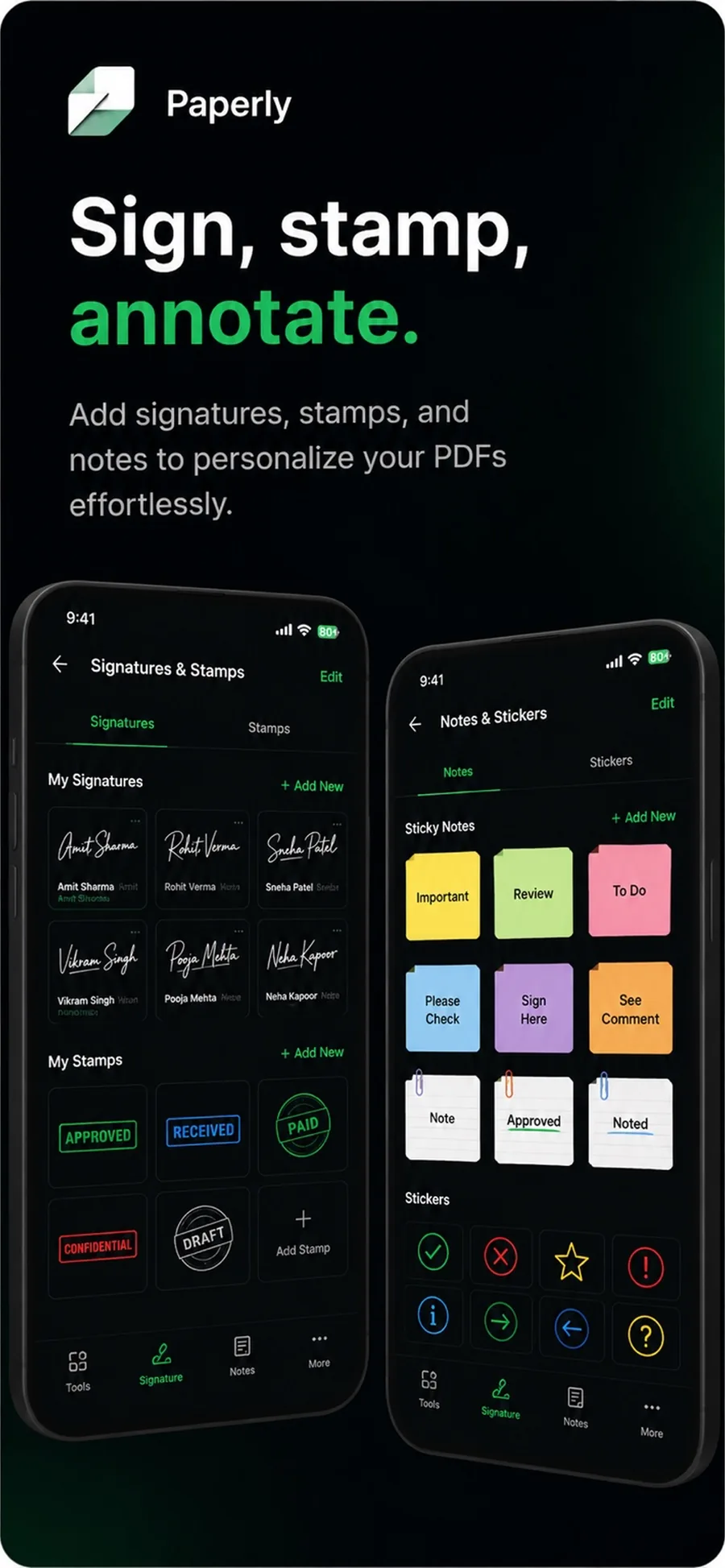
The routine of printing a document, signing with a pen, scanning the paper, and emailing it back is obsolete. Paperly lets you sign contracts, rental agreements, permissions, and tax forms in seconds: draw your signature on screen once, place it on the line, add date annotations, and export a signed PDF ready for immediate return.
What it is
Signing a PDF electronically means drawing and embedding a signature directly onto the document canvas. In Paperly, you draw smoothly with a fingertip, Apple Pencil, or stylus on a pressure-sensitive canvas, position and scale it onto signature lines, add dates or initials, and flatten the document into a standard PDF—all processed offline with no accounts or subscriptions.
When you reach for it
- Signing time-sensitive legal agreements, nondisclosure agreements (NDAs), or contracts
- Filling out employment onboarding forms and W-9 tax sheets on the go
- Signing school permission slips, rental leases, or medical consent forms without a printer
- Applying initials across multi-page documents alongside a final signature
- Signing private financial documents without uploading your handwritten signature to cloud servers
How Paperly does it
- 01
Draw and save your signature
Sign smoothly using your finger, Apple Pencil, or stylus. Paperly applies bezier smoothing to produce natural pen-like ink strokes and saves your signature securely on-device.
- 02
Position and scale on page
Drag the signature onto the signature block, pinch to match real pen proportions, and add accompanying date or text annotations in the same pass.
- 03
Flatten and export
Paperly flattens the signature layer directly into the document raster/vector structure, producing a universal PDF that displays accurately across all PDF viewers.
Questions people ask
Yes. Your drawn signature is stored exclusively in your device's private, encrypted app sandbox. It is never uploaded to any remote server, third-party signing provider, or cloud account.
Yes. Once drawn and saved, your signature is accessible from the Paperly toolbar on any document. You can place it with a single tap, resize it, or delete it whenever you wish.
Yes. Paperly includes full annotation tools allowing you to type dates, insert checkmarks into form boxes, and add initials to the bottom of each page before exporting.
No. Paperly exports standard, ISO-compliant PDF files. The signed PDF opens perfectly in Adobe Acrobat, Apple Preview, Google Chrome, Microsoft Edge, and mobile mail clients.
Related features
PDF Annotation
Annotate PDFs on your device with Paperly: highlight text, add notes and stamps, and mark up documents privately — all processing stays local.
ExplorePDF Editor
Paperly is an on-device PDF editor for Windows and iPhone: merge and split PDFs, reorder pages, annotate, add signatures, and compress files privately.
ExploreScan to PDF
Streamlined scan to PDF workflow for your device: capture multi-page paper documents, auto-crop edges, reorder pages, apply offline OCR, and export clean PDFs.
ExploreFill PDF Forms
Fill PDF forms on your device.
Explore
Try sign pdf where it runs best.
Paperly for iPhone — private, on-device, and free to download.