Merge PDF files
Merge PDF
A cover page from Mail, a scan from this morning, a form from Files — real submissions arrive as pieces. Paperly joins them into one ordered PDF without the files ever leaving the computer or phone.
What it is
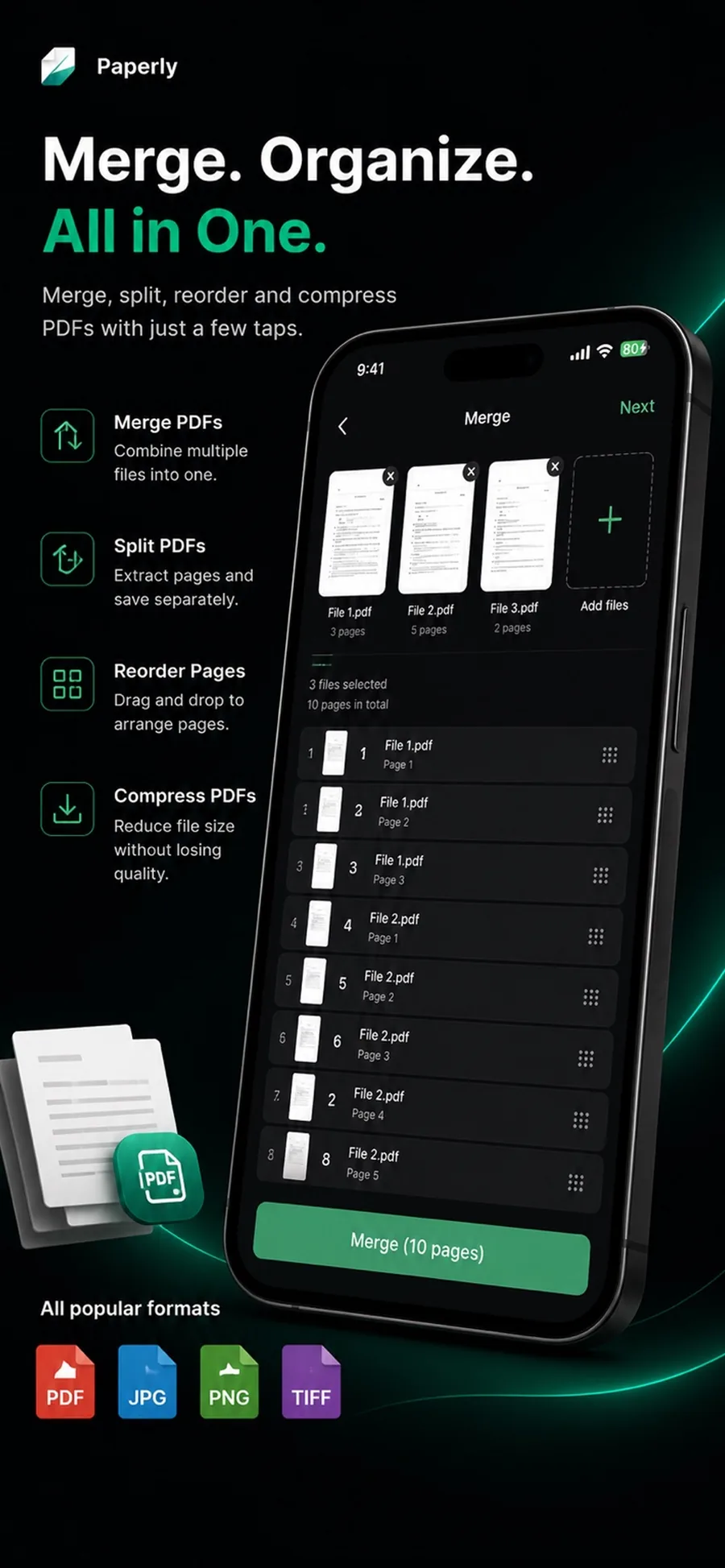
Merging PDFs means combining two or more PDF files into a single document. Paperly merges files on the device: pick the documents, arrange the pages, and export one PDF. No upload queue, no web converter, no copy of your files on someone else's server.
When you reach for it
- An application needs a cover letter, form, and ID as one PDF
- Scanned chapters or receipts should ship as a single document
- A signed page must be inserted into an existing PDF
- Someone asked for 'one file, please' instead of six attachments
How Paperly does it
- 01
Pick the documents
Choose PDFs from your Paperly library or import them from Files. They appear as page stacks ready to combine.
- 02
Arrange the pages
Drag pages between and across the merged documents until the order reads the way the recipient expects.
- 03
Export one PDF
The merged file is assembled locally and saved or shared as a single, clean PDF — compress it first if it needs to travel by email.
Questions people ask
Yes. Any PDF you can get into Files or share to Paperly can be merged — bank statements, emailed forms, downloaded reports, and your own scans alike.
No. Merging combines the pages as they are. If the final file is too large to send, that is a separate step — compression — which you control explicitly.
Yes. Split the document again or reorder pages at any time. Merging is not a one-way door in Paperly — pages stay movable.
Related features
Split PDF
Split PDFs on your device with Paperly: extract the pages you need, remove the rest, and save or share the result — processed offline.
ExplorePDF Editor
Paperly is an on-device PDF editor for Windows and iPhone: merge and split PDFs, reorder pages, annotate, add signatures, and compress files privately.
ExploreCompress PDF
Compress PDFs on your device with Paperly: shrink scanned documents to an emailable size while keeping text readable — processed locally, no uploads.
Explore
Try merge pdf where it runs best.
Paperly for iPhone — private, on-device, and free to download.